July 2012
What to Do When Your Site Won't Display After HETEML's Easy WordPress Install
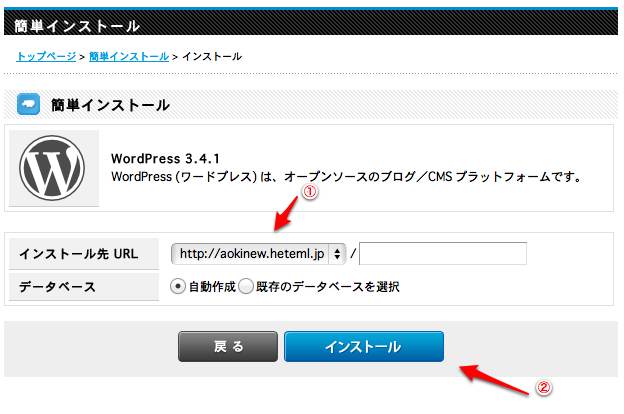
If you install WordPress on HETEML as shown above, the site doesn’t display. Here’s how to fix that.
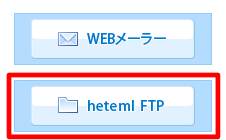
- Log in to HETEML’s FTP. The HETEML FTP link is at the top right of the login screen.
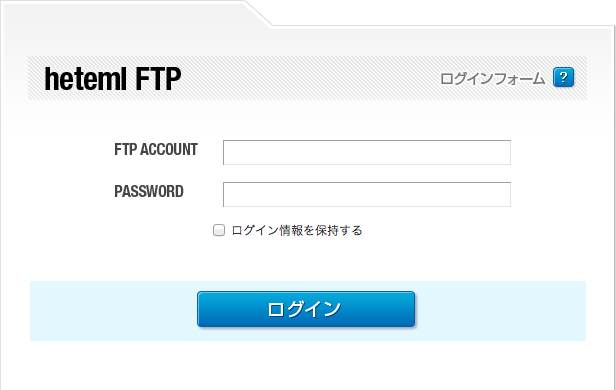
- A screen like this will appear. Log in with your HETEML ID and password.
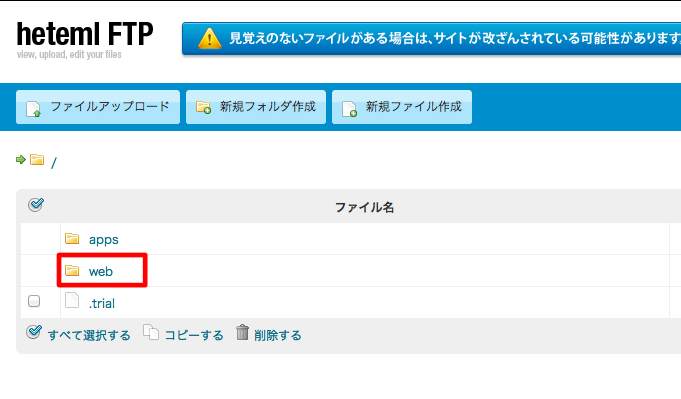
- Click “Web”.
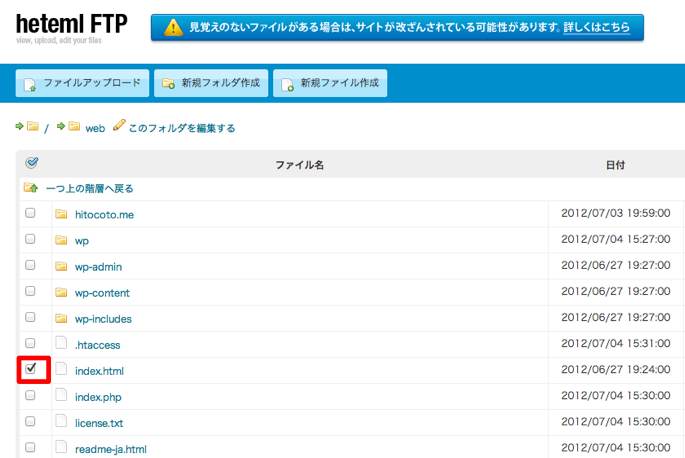
- Check the box next to index.html.
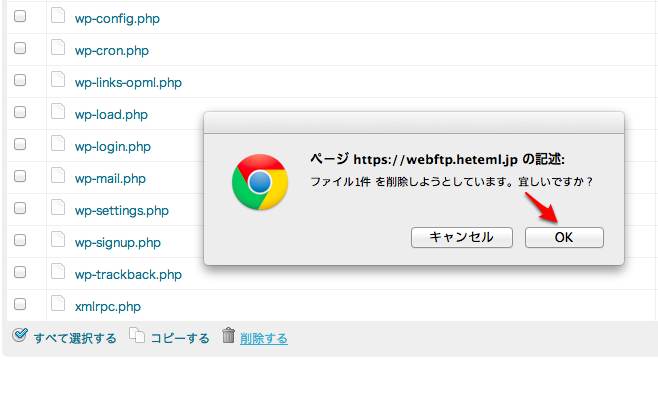
- Press Delete.
That’s all. Now WordPress will display on the domain you installed it on.
▼ If you want to set up WordPress, see the entry below.
https://www.aokiu.com/2012/07/03/wordpress/For anyone who wants to start blogging seriously! How anyone can easily install WordPress
Until now, I kept making blogs and deleting them. Ameblo, Livedoor, Blogger, and a few others whose names I’ve forgotten, and I never stuck with any of them. I work hard for the first three days, then before I know it I’ve abandoned it. Maybe there are quite a few people like that …