July 2012
5 Websites and Blogs Worth Referring to When Using WordPress
It seems more and more people have recently started using WordPress. I haven’t bought any books on WordPress; I built my site by asking people who run websites and by referring to articles that summarize WordPress. This time I’d like to introduce 5 websites worth referring to when using WordPress, along with recommended articles from each.
1. WordPress.org Forums
http://ja.forums.wordpress.org/
The WordPress Q&A forum. You often search and search and still can’t find the answer, but nearly every question and answer is written here. The first page to check when you get stuck.
2. WEB Creator BOX
Extremely easy to understand. I’ve been learning from it since I started WordPress. A must-see for anyone starting out with WordPress.
Recommended entries
・13 Ways to Customize the WordPress Admin Page to Be More Convenient
・8 Handy Code Snippets for When You’re in Trouble with WordPress
2. KACHIBITO.net
KACHIBITO.net is also a must-see for people starting WordPress. In particular, I referred many times to the step-by-step list in the entry below.
Recommended entries
・A Step-by-Step List for Building a Website with WordPress
・The Slides for “jQuery for Non-Programmers” Are Really Easy to Understand
4. Web Design Recipes
This one is also recommended. Each article is explained very carefully and has a lot of substance.
Recommended entries
・ How to Use Template Files, Which You Absolutely Must Know If You Customize WordPress
・Common WordPress Customization Code, Mostly functions.php
5. VIVID COLORS +BLOG
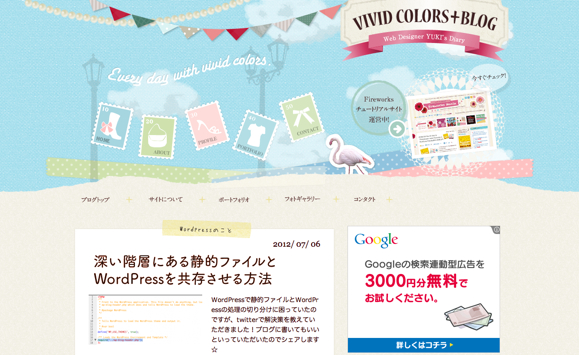
I’m featuring “10 Common Stumbling Blocks When Customizing or Building a WordPress Theme for the First Time,” which was a big help.
Recommended entries
・Summary of What I Do First After Installing WordPress
・10 Common Stumbling Blocks When Customizing or Building a WordPress Theme for the First Time
That’s 5 websites and blogs that I always refer to when I’m working with WordPress. They’re all well-known sites, but I’d be happy if they help anyone who’s about to start with WordPress.
In the next WordPress-related entry, I’d like to write about how to easily change text and fonts.
If you like it, I’d be glad if you’d share it or Hatena Bookmark it.
.