March 2013
Customize It Your Way! Simeji, a Free Android Keyboard App
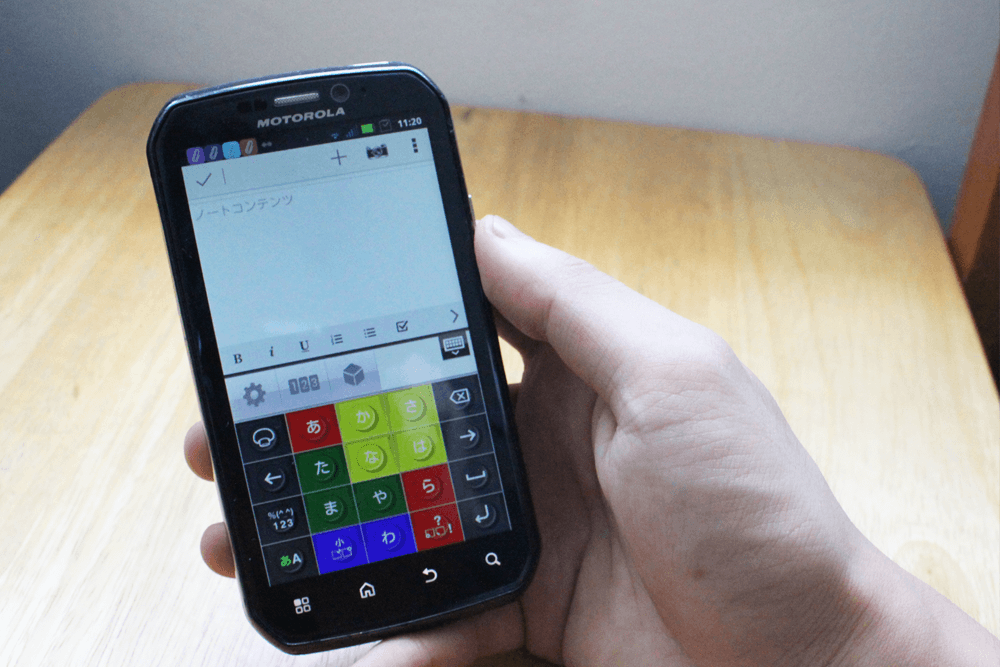
Recently, on the recommendation of my younger brother in the Philippines, I bought an Android device. It’s a model called the ISW11M. It was cheaper than I expected and looks like it can be SIM-unlocked, so I’m thinking of using it when I travel abroad. *I plan to write about SIM unlocking in a separate article.
Unlike the iPhone, Android is highly customizable. There are various reasons, such as apps passing review more easily than on the iPhone, but you really can change things down to the finest detail. This time I decided to install Simeji, a staple free Japanese input keyboard app. I found it handy, so I’d like to introduce it.

Simeji is a standard free Japanese input keyboard that has passed 4 million downloads.
It includes over 3,000 popular emoticons, and when you type “waai” (yay), the emoticon o(^o^)o appears among the conversion candidates. It makes emails and social media more fun. It supports a variety of input methods, including flick input, feature-phone style input, and pager (Nico Touch) input.
It also features the “mushroom” function, which Simeji was the first in the world to devise. The mushroom function is apparently a text input method that links with other apps. For example, you can easily launch a map mid-typing to enter your current location, or add a stock phrase to the end of a sentence.
It also supports voice input, which apparently allows even smarter input. It uses cloud input and expands the words it can convert every day.
The biggest customization point is the abundance of skins that let you freely change the keyboard’s design. I find it interesting that you can customize an Android device to be your own. It’s also fun that, not just for Simeji but for any Android app, if you’re logged in to Google in a browser on your PC, you can download and install the app from there.
▼From downloading to actually using it
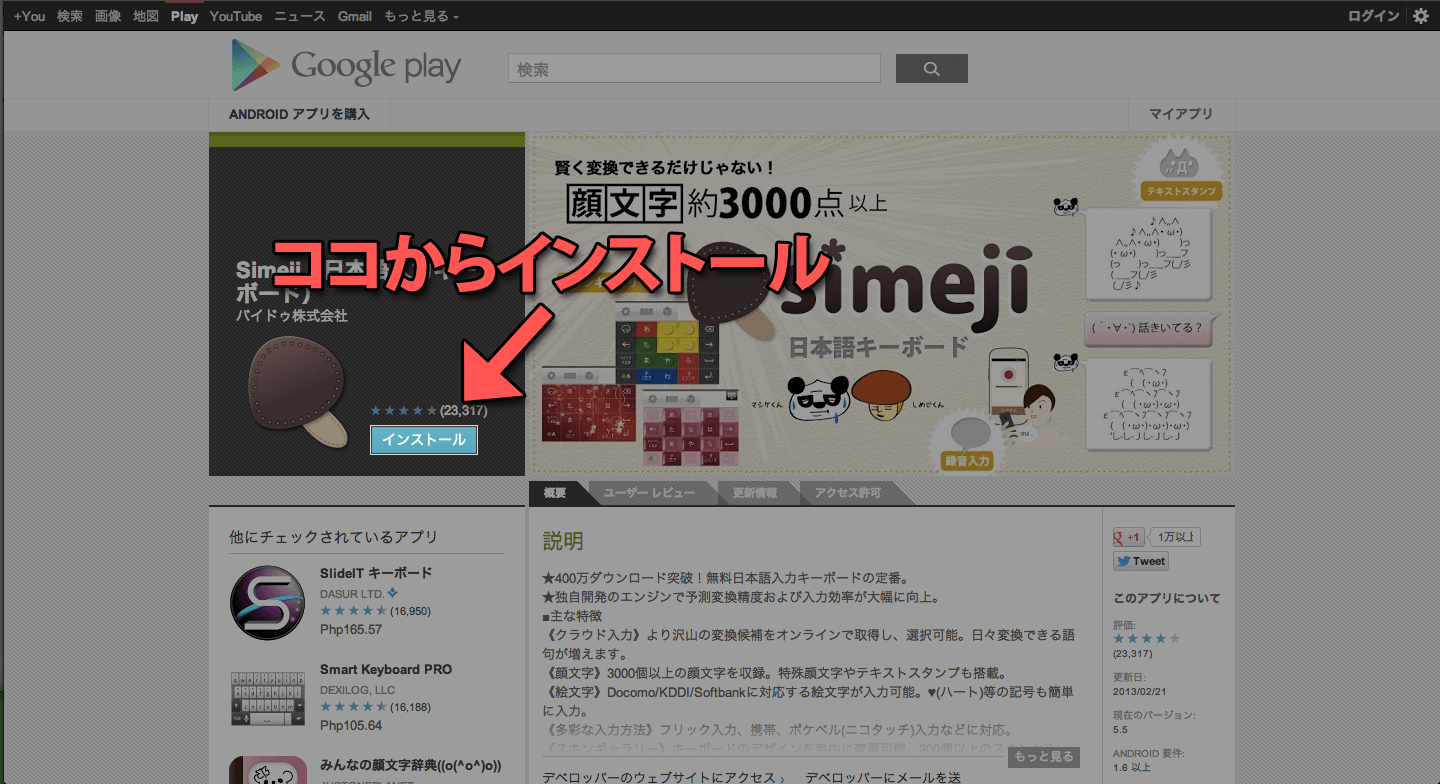
To download from a PC, access this link. Download the app using the install button next to the icon.
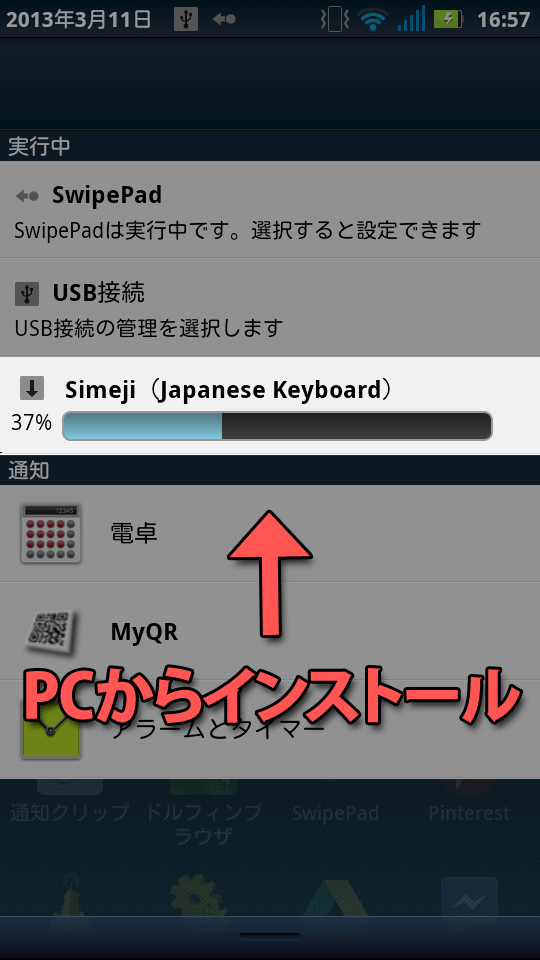
It is then downloaded to your Android device automatically.
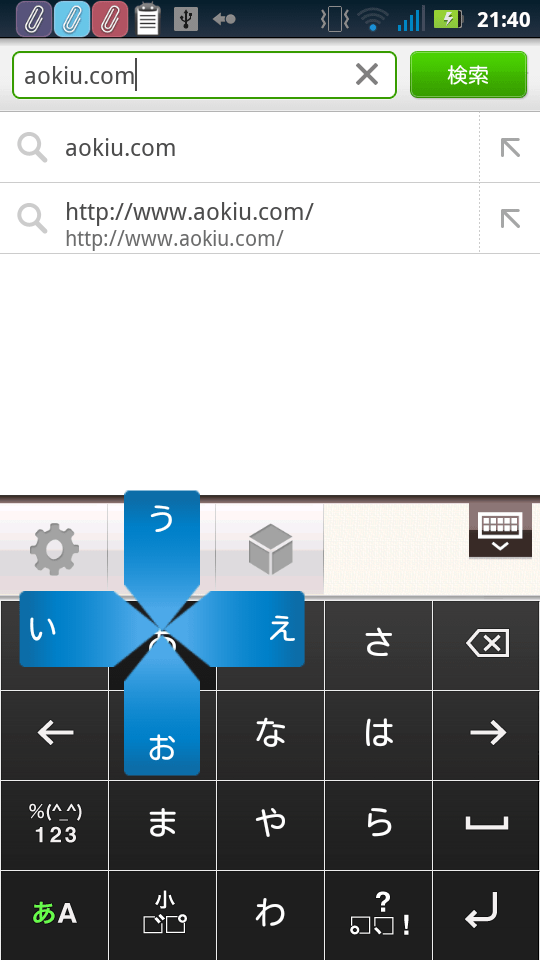
Simeji with default settings. From here I’ll explain how to change the keyboard.
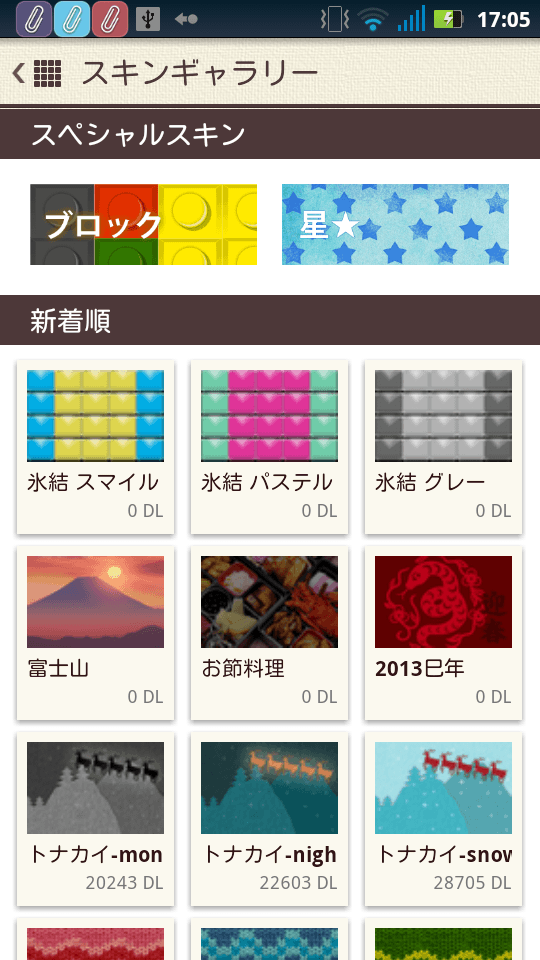
Tap the Skin Gallery from the Simeji app or the settings icon on the input screen, and customization skins are displayed in order of newest and ranking.
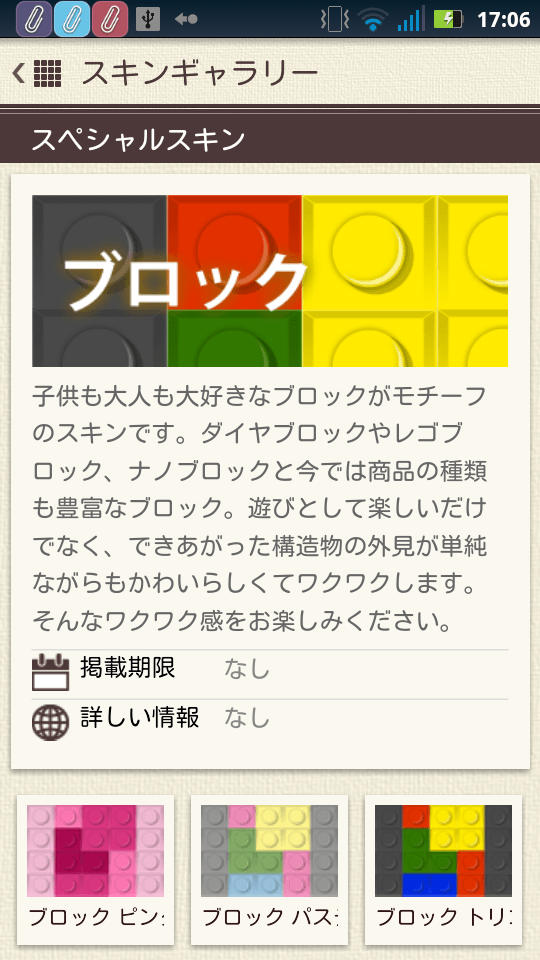
Select the skin you want to change to and download it.
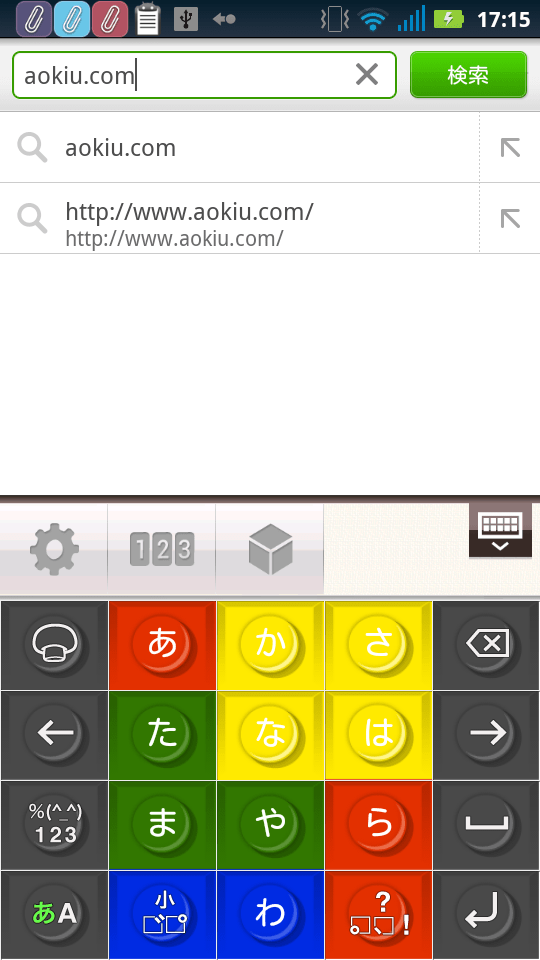
The input screen changes like this.
A product that adapts to each person’s individuality
I think it connects with Hiiragi, the coffee shop in Fukuoka I visited the other day: I feel that things tailored to each person become more valuable than homogenized ones. You also grow more attached to them.
What’s good about Simeji is that you can easily customize things the Android way, such as changing skins, and make it feel original. There also seems to be a way to customize the keyboard yourself called local skins, so I thought it would suit those who want to express even more individuality.
It would also be fun if original Simeji skins made by freelance designers came out. I think there would be demand for rankings of those, too. It’s an app a lot of people already use, but if you’re an Android user who doesn’t, why not give it a try?
Google Play “Simeji”
By the way, this NAVER Matome was funny.
→ “Argh, how frustrating! Sad smartphone conversion mistakes (TдT)”