June 2012
How to SIM-Unlock an iPhone 4 Without Jailbreaking It and Enable Tethering
My iPhone 4 is one I bought from Softbank. A Softbank iPhone is SIM-locked, so you can’t use any other SIM in it.
But when I traveled abroad, I SIM-unlocked this iPhone without jailbreaking it and used it that way. Now that I’m back in Japan, I’ve unlocked it the same way and use it with a B-mobile SIM. B-mobile is a SIM sold by Japan Communications that runs on NTT’s network. You can buy prepaid unlimited-data plans for one month, six months, or one year.
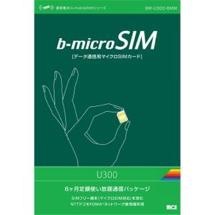
The SIM I use is the six-month unlimited plan, the B-mobile Micro SIM U300 (13,500 yen). This B-mobile plan can’t make voice calls, so I use a separate au phone just for calls (about 1,000 yen a month). That keeps my monthly communication costs down to around 3,000 yen.
On Softbank’s network I was paying at least 6,000 yen a month, so switching to a B-mobile SIM saves me more than 30,000 yen a year. For a student, that’s pretty significant. A new product called the Amazon LTE SIM also came out recently, and I’d like to try it when my six months run out.
In this post I want to explain how to SIM-unlock an iPhone 4 without jailbreaking it. I should say up front that if you try this, you do so at your own risk.
You’ll need these three things
・iPhone 4
Gevey is the name of a SIM adapter. Using it lets you SIM-unlock an iPhone without jailbreaking it. I bought mine in Thailand, but a friend of mine bought his on Amazon. I’ve heard it can suddenly stop working after an OS update, so before you update, check whether Gevey supports that OS version.
This unlocking method is recommended for people who:
・are planning to go abroad for a long time
・travel overseas fairly often
・want to try SIM-unlocking an iPhone without jailbreaking it.
▼ Steps to SIM-unlock
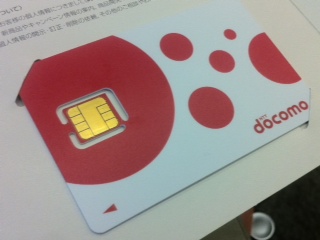
- First, activate the B-mobile SIM. From a mobile phone or PHS, call the number printed on the package and follow the automated voice guidance, entering the product’s phone number printed on the package.
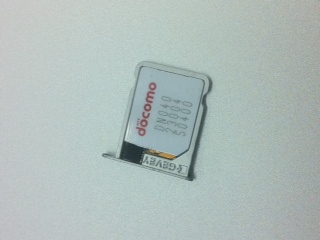
- Next, cut the corner of the B-mobile micro SIM so that it fits the GEVEY adapter, and place it in the Gevey adapter.
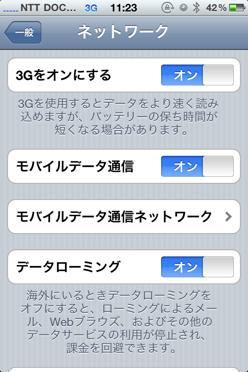
- With the setup shown above, restart the iPhone.
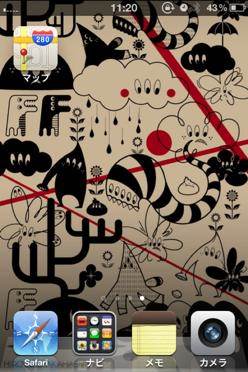
- Insert the Gevey adapter with the SIM in it into the iPhone.
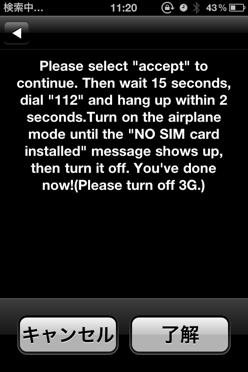
- After about 15 seconds, a screen like this appears. Tap OK.
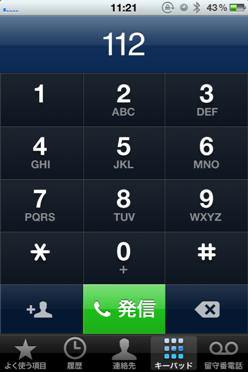
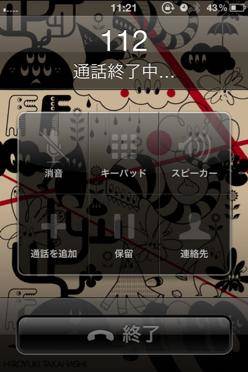
- After tapping OK, wait 15 seconds, dial “112” on the phone keypad, and press the end-call button within 2 seconds.
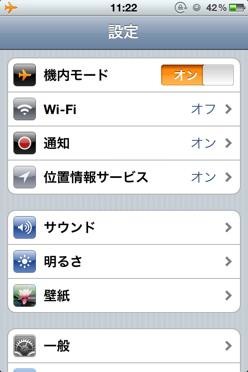
- Turn Airplane Mode OFF.
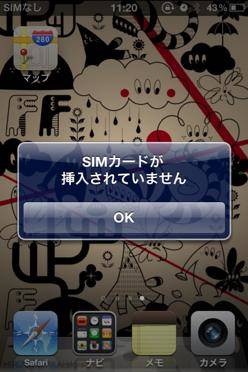
- Turn Airplane Mode ON again. Then turn it OFF, and ON again. After repeating this 4 times, a pop-up saying “No SIM Card Installed” appears, as above.
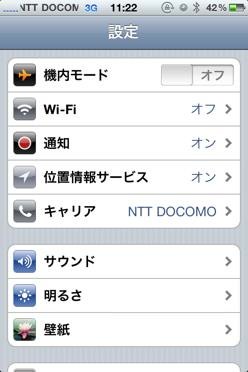
- After that, turn Airplane Mode ON and then OFF once more. Wait about 5 seconds and you’ll see the screen above. The carrier, which had been “Softbank 3G,” changes to “NTT DOCOMO 3G.”
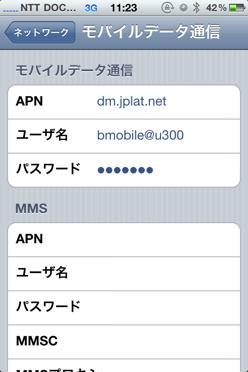
- In the network settings, configure the B-mobile settings,
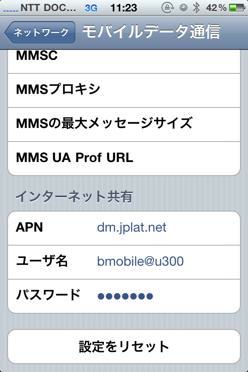
- and while you’re at it, set up Internet Sharing (tethering) too.
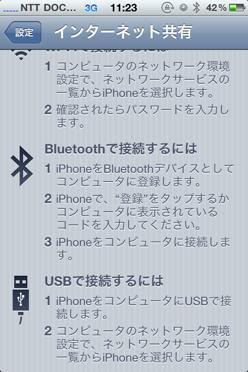
- Then you can share your internet connection like this. Many of you may be wondering, “Wait, does the iPhone even have a tethering feature?” The iPhone has always had tethering built in. With certain SIMs, though, this menu apparently doesn’t show up.
Following the steps above, you can SIM-unlock your iPhone and enable tethering.
There are a few things to watch out for, though. With B-mobile, the connection isn’t all that fast. It’s fine for Twitter and Facebook, but watching video is pretty painful. If you want comfortable browsing, I recommend the Amazon SIM Pair.
Also, there’s no guarantee that every SIM will work. Even with overseas SIMs, in India for example, Vodafone doesn’t work but Aircell does. Searching for “Gevey Vodafone” or “Gevey” plus a carrier name will turn up results, so if you want to know whether a local overseas SIM will work, I recommend checking before you leave.
You can use Japanese carrier plans abroad too, but they’re ridiculously expensive. If you actually buy a local SIM there, even at the high end you can use it for a month for about 3,000 yen. So I think this Gevey method is worth trying if you’re going abroad for more than a week and want to be online all the time. Buying an actual SIM-free smartphone costs 20,000 to 60,000 yen or more. Compared to that, the price of the Gevey (around 1,100 yen) is very cheap.
Tomorrow I want to write about the phone contracts I recommend when you leave Japan for a long period. Whether you know this or not makes a big difference, so if you’re interested, I’d be happy if you’d sign up for my RSS feed or follow me on Facebook or Twitter.
▼ A must-read entry about credit cards, for anyone about to travel abroad.
https://www.aokiu.com/2012/05/01/creditcard/6 Things About Credit Cards You Should Know Before Traveling Abroad | Hibilog
When you travel abroad, a credit card is essential. These days, buying tickets with cash is a waste of time, and it often costs extra in handling fees. Even when you run out of cash, a single card can keep you alive …
**▼**For backpackers, and for anyone who wants to try traveling solo!
https://www.aokiu.com/2012/06/21/firstbackpack/For Anyone Who Wants to Travel Abroad Solo! A Backpacker’s Beginner Guide by Someone Who Has Gone Around the World | Hibilog
My first solo trip abroad was during the summer vacation of my third year of university. I went to Thailand, Cambodia and Malaysia for about two weeks. That experience has had a huge influence on who I am today, and it was what actually led me to set out on my round-the-world trip …
.